- Create a Custom App
Go to
Shopify Admin → Settings → Applications. Click "Create apps in the Dev Dashboard", then click "Create an Application". Enter app name.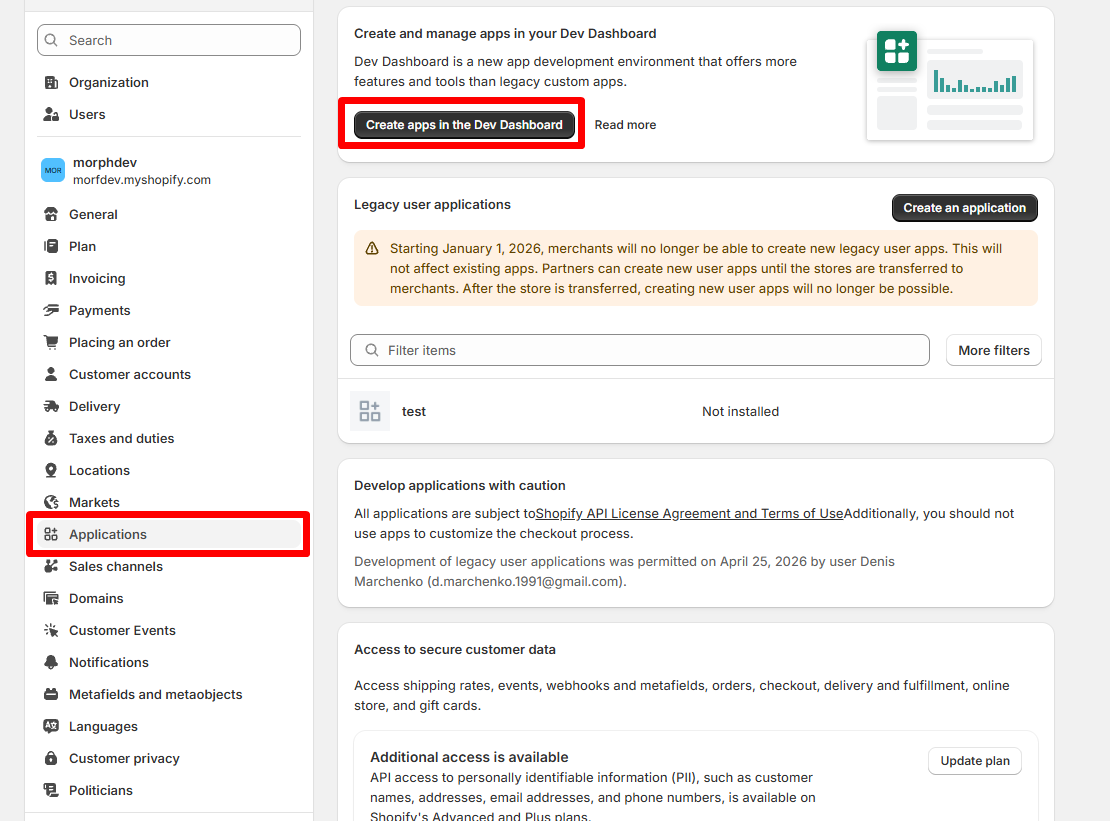


- Configure Admin API scopes
Check "Access" tab and click "Select areas" in Version section. Enable these scopes:
read_customerswrite_customersread_orderswrite_orders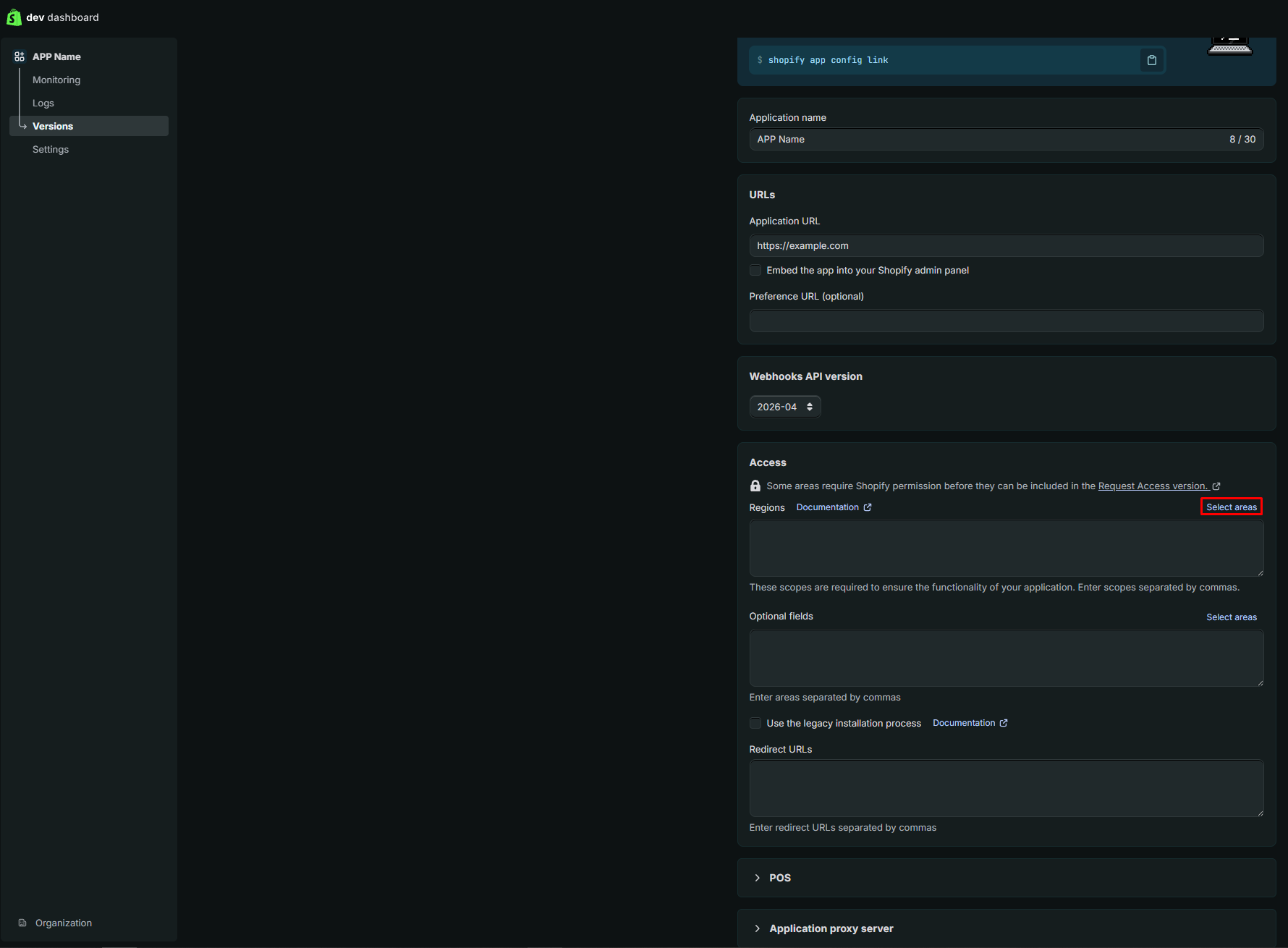


Click "Release".
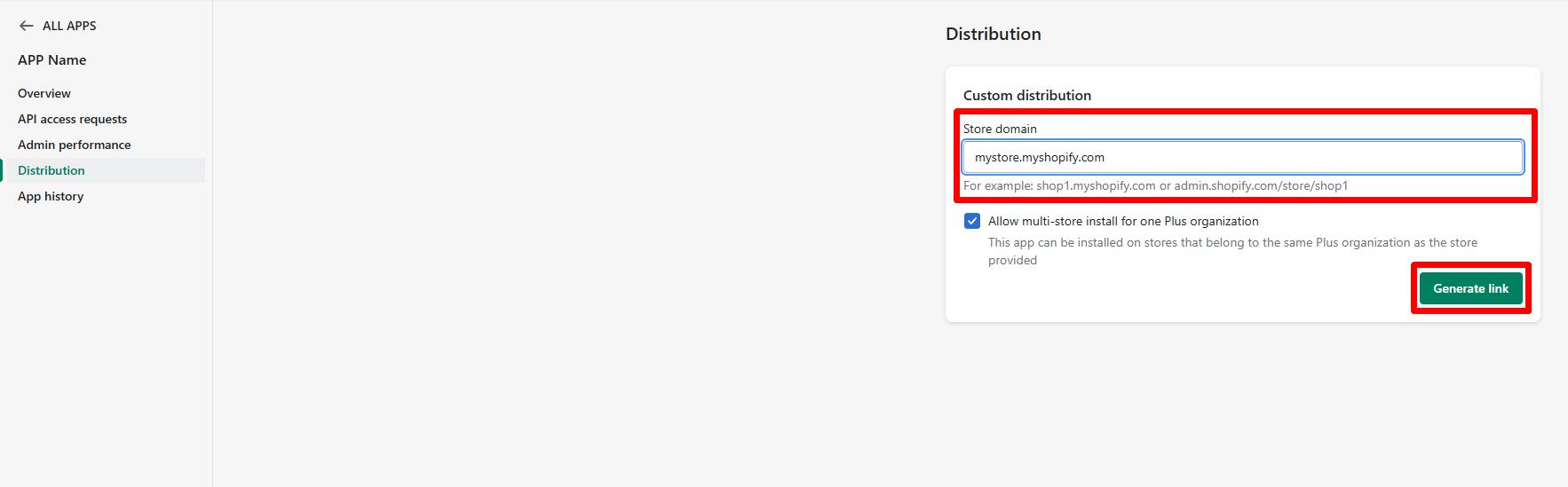
- Select Custom distribution method
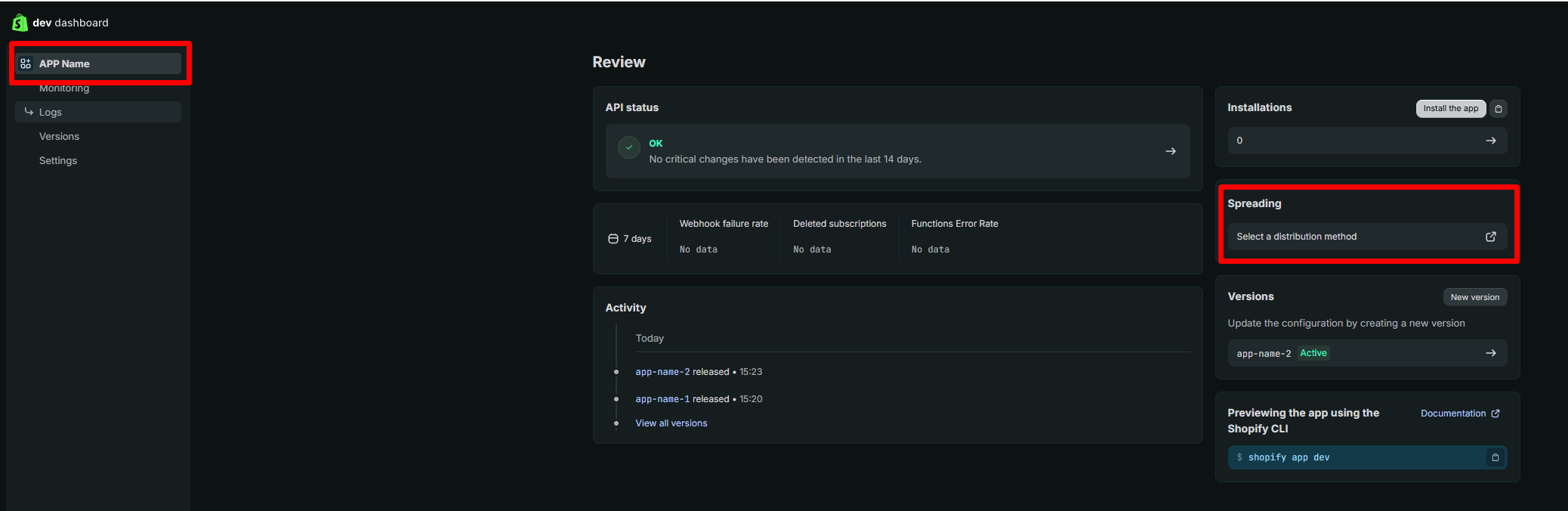
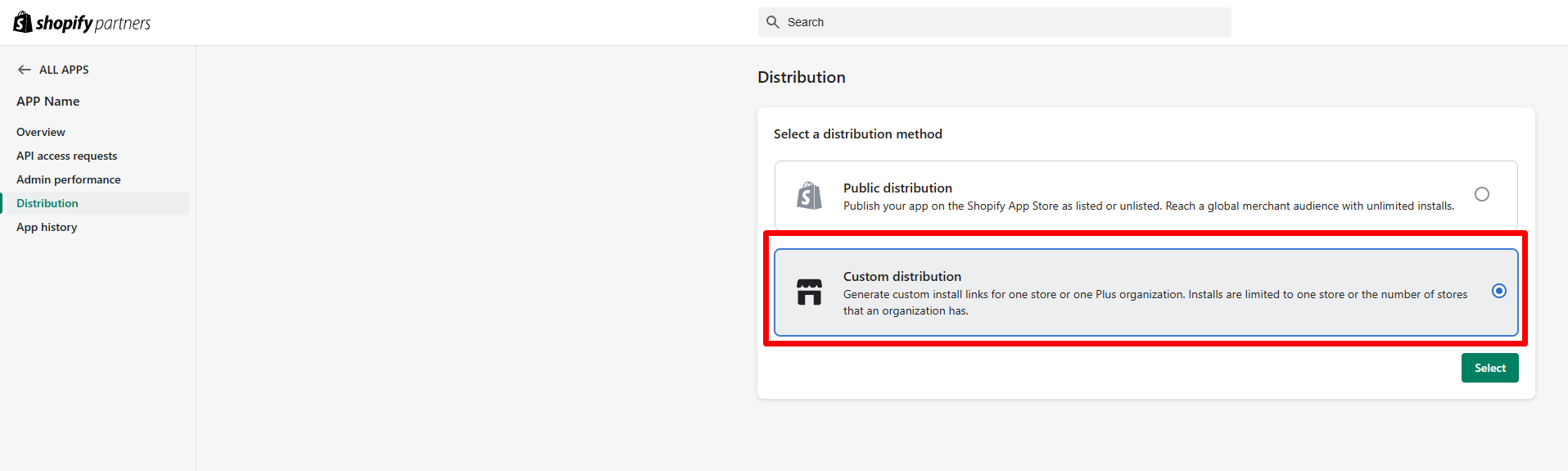
Go to App overview page tab → click "Select a distribution method" → "Custom distribution". This grants Level 1 and Level 2 access.
- Install the app & grant access
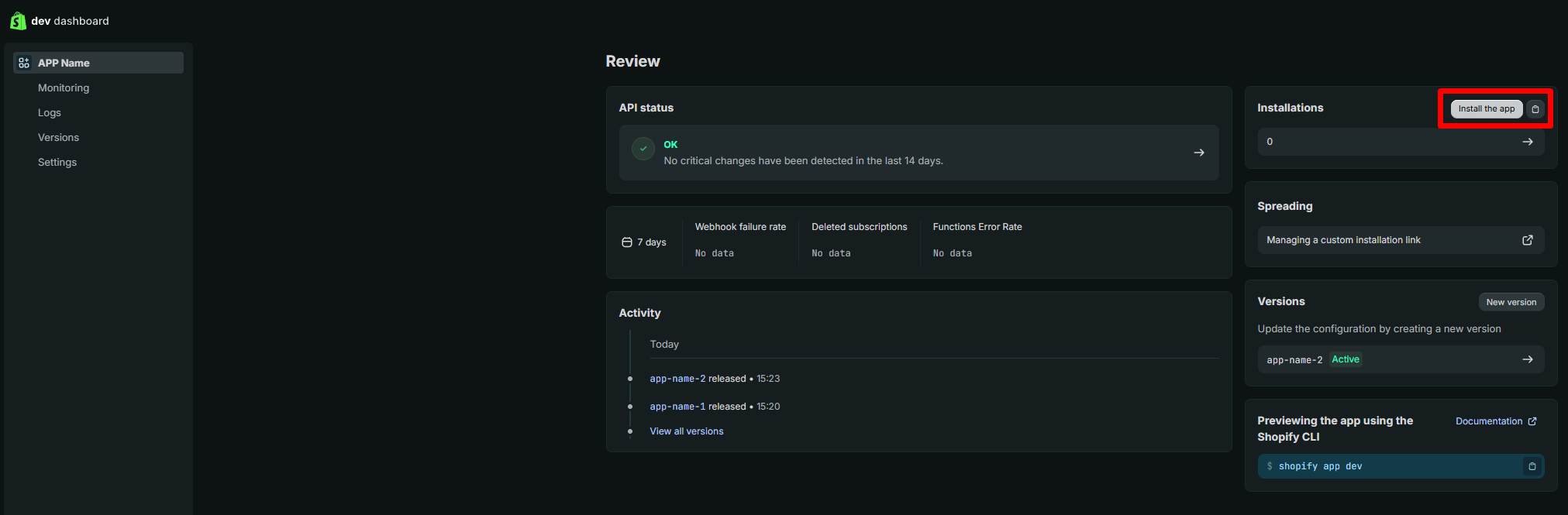
Go to "App overview page" tab → click "Install the app" → Select your store → Install. This grants Admin API access token permissions.
- Retrieve credentials
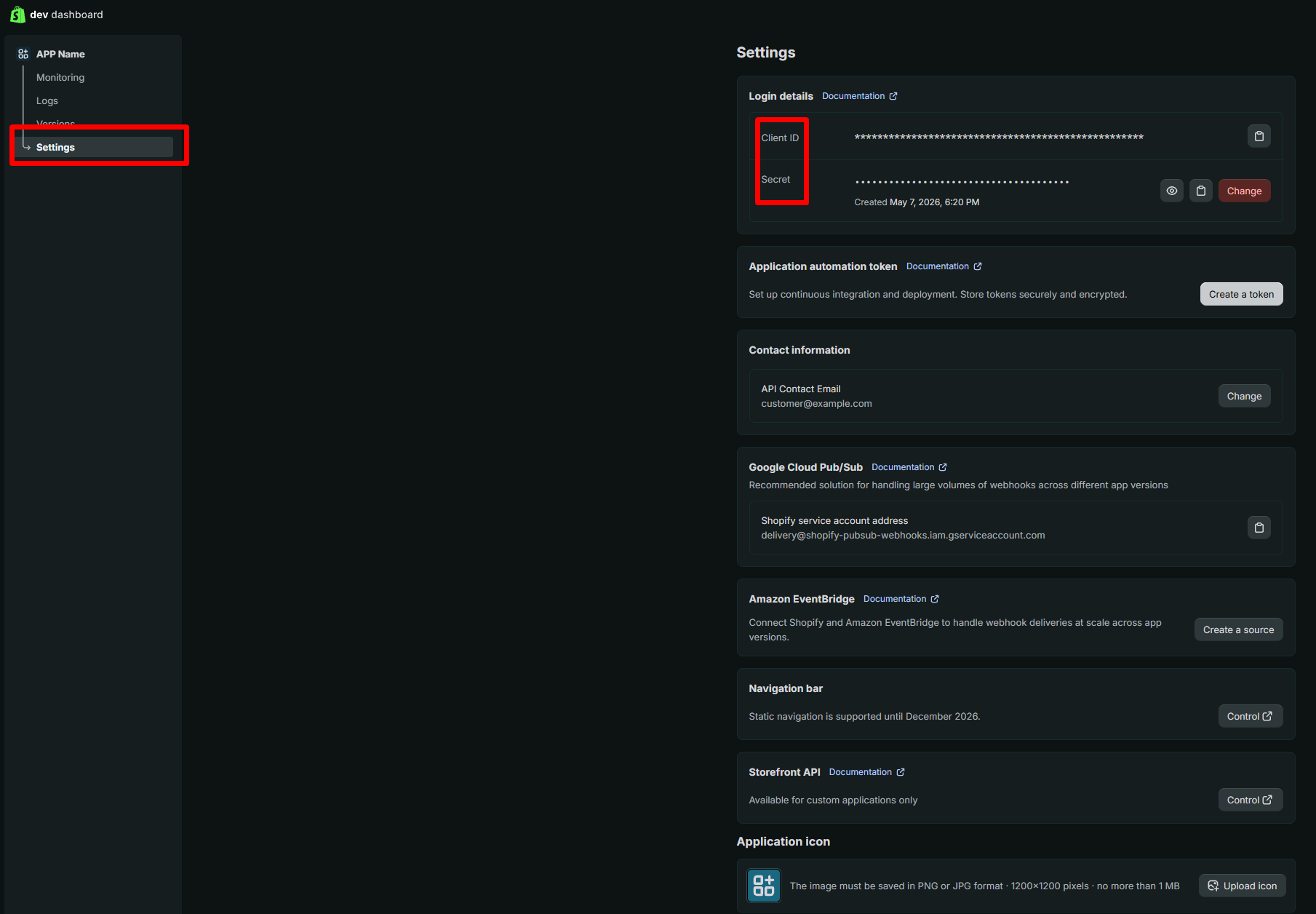
After installation, the API key (Client ID) and API secret key (Client Secret) are revealed on the "Settings" tab. Copy them into the fields below.
Was this article helpful?
That’s Great!
Thank you for your feedback
Sorry! We couldn't be helpful
Thank you for your feedback
Feedback sent
We appreciate your effort and will try to fix the article
